
What is your user dashboard?
The user dashboard is a personalized administrative panel, accessible only to you after a successful login to the platform. It brings together all the important tools in one place. Whether you want to check how many people have viewed your restaurant today, respond to a request for ski equipment or simply change your business hours for the upcoming season, it all happens here.
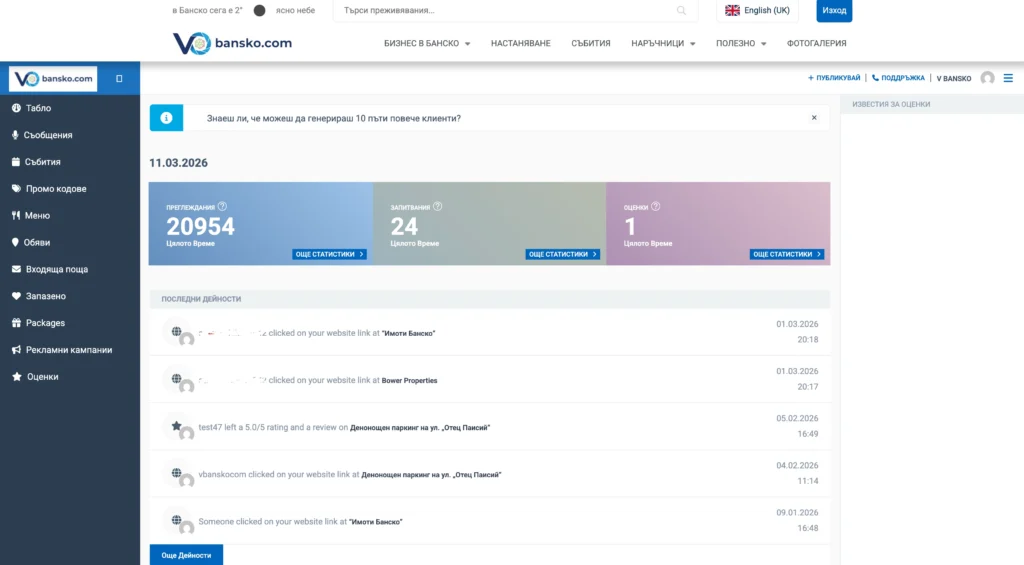
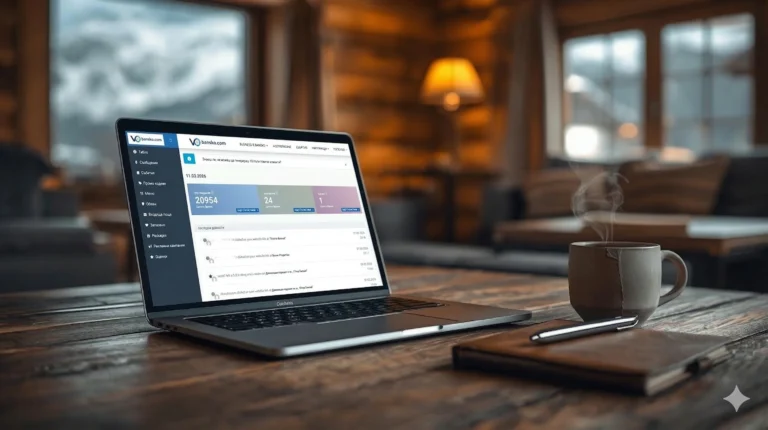
Your Vbansko user dashboard gives you a clear view of real-world results – from the number of views to specific customer actions.
You can access your user dashboard very easily – just click on your name or profile picture in the top right corner of the site and select “Dashboard”. The panel is fully optimized for mobile devices, so you can manage your business directly from your phone while on the go.
Main features and sections in your virtual office
The interface is divided into several main categories, each of which is responsible for a different aspect of your online presence. Here are the most important ones:
1. Statistics Section – Measure the real benefit
This is the heart of your user dashboard and the place you should visit most often. In the “Statistics” section, the platform shows you the real results of your presence on Vbansko.
Here you will find detailed graphs that show:
- Views: How many unique users have opened and viewed your page. You can filter the data by days, weeks, or months.
- Website clicks: How many of the visitors continued to your personal company website.
- Phone calls: The number of people who clicked on your phone number on a mobile device to contact you directly.
If you’re wondering if it’s worth keeping your profile up to date, just open “Statistics.” Seeing hundreds of potential customers browsing your property during the active tourist season in Bansko will show you the true power of digital visibility.
2. Messages and inquiries (Leads / Inbox)
Nowadays, tourists prefer quick text communication. In your user dashboard you will find a special messaging section (Leads) where all direct inquiries from the platform are generated.
If a customer wants to reserve a table, book a room, or inquire about the prices of your services, their message arrives here. A quick response through this system not only earns you a real customer, but also builds trust. Check this section daily!
3. Manage working hours and details (My Listings)
Bansko is a city with specific seasonal dynamics. The working hours of many establishments change drastically between the winter and summer seasons, and during the transitional periods (spring and autumn) some businesses even close temporarily.
Through the My Listings section, you can edit your details in seconds. You can upload new photos (for example, the new winter menu), update your prices, or add new amenities you offer.
There is nothing more frustrating for a tourist than finding your business online, going to the address, and finding that you are closed, even though it says “Open” online. Regularly updating your business hours through your user dashboard is absolutely essential to maintaining a good reputation.
4. Feedback and Reviews
This module collects all the ratings and comments left by your visitors. You have the opportunity to review them and, most importantly, respond to them. A professional response to a positive review shows respect for the customer, and an adequate response to a negative comment can save the image of your business.
Why be active on the platform?
Local businesses in the Bansko and Razlog region are becoming increasingly competitive. Tourists from Bulgaria and abroad are planning their vacations online, comparing offers, reading reviews and looking for up-to-date information. Your user dashboard gives you the power to be one step ahead of the competition.
When you regularly monitor your statistics, you understand when your strongest period is and you can optimize your profile just in time. When you respond quickly to messages (Leads), you turn virtual visitors into real, paying customers in your physical location.
Don't waste any more time. Log in to your account, explore the dashboard features, and start managing your digital success today!


 English (UK)