

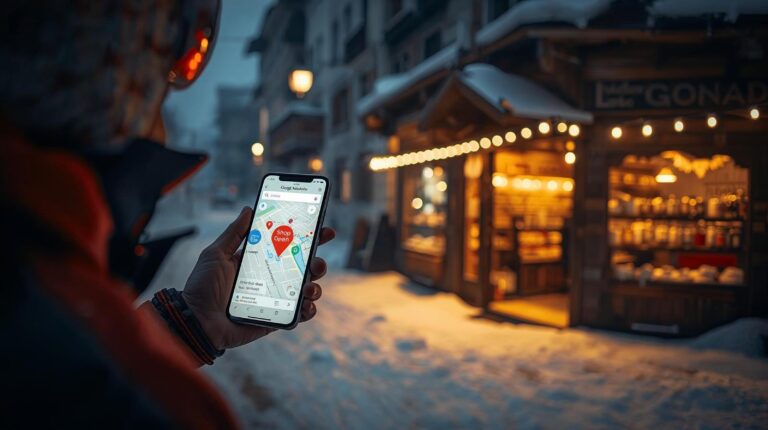
Imagine the following situation: A group of English tourists are walking down Glazne Street. It's January, it's 6:00 PM, it's cold (-5°C). One of them has forgotten his gloves. What does he do? He doesn't go aimlessly wandering the alleys in the dark looking for a glowing sign. He takes out his phone and types into Google: “Ski shop near me” or “Gloves Bansko”.
At this particular moment, the invisible but crucial digital battle for the customer takes place. If your property does not appear on the map with clear photos, a rating above 4.5 and a caption “Open”, you don't just lose a sale. You practically don't exist to that person. Even if your physical store is just 50 meters around the corner.
In this first and fundamental article in our new Retail series, we will take a detailed look at how to transform Google Maps for a store from a simple pin on the map into your most powerful marketing tool – completely free.
1. “I’m on the map, so what?” (Claim vs. Verify)
Many owners in Bansko They live with a dangerous delusion: “I’m on Google, the map shows the address, that’s enough.” The truth is, there is a huge difference between an “automatically generated point” and a “managed business profile.”.
Google often creates entities automatically based on user data or old records. These accounts are like abandoned houses – no one takes care of them.
| Unclaimed object | Optimized Google Business Profile |
|---|---|
|
❌ Photos: They are missing or from Google Street View (often showing construction sites from 2019).
❌ Working hours: It is often missing or incorrect (“24 hours open”). ❌ Status: It says “Own this business?” (Verify this business). |
✅ Vision: Bright, professional photos of the window and merchandise.
✅ Accuracy: Current opening hours for the season. ✅ Link: Direct button for navigation, call or chat. |
First and most important step: If you see the words “Claim this business” or “Own this business?” on your profile, click on it immediately. The verification process (most often via a postcard, phone call, or video recording) gives you the “keys” to managing your reputation.
2. The Name: The Key to Search (SEO Strategy)
Google's algorithm works on the principle of relevance. If your store is called "Edelweiss", and Google simply spells it "Edelweiss", no foreigner will find you when searching for your products. Why? Because he doesn't know the name of your company (Brand), he is looking for a solution to his problem (Product).
💡 SEO Trick for Bansko:
Add the category to the name in Google Maps for a store, but be careful not to violate Google's rules (so-called Keyword Stuffing). Instead of just “Mimi Store”, use the formula: [Brand Name] + [Main Category].
Example: “"Mimi's Souvenirs & Bulgarian Gifts"”
So, when a tourist types “Gifts”, “Souvenirs” or “Bulgarian pottery”, Google’s algorithm will show you with priority over a competitor who only typed an unrecognizable name.
3. The visual business card: Why do photos sell?
In winter in Bansko everything looks the same – snow, parked cars and wooden facades. Tourists often navigate entirely visually. They look at their phone, see the picture of the store on Maps, and then look for the same facade on the street.
To optimize your Google Maps for a store, you must upload the following three types of footage:
- Photo of the facade (Day & Night): Take a clear picture through the day, but also one at dusk, when the shop window lights are on. This helps the customer “recognize” you as they walk along “Pirin” in the evening.
- Interior photo (Wide Angle): If you sell ski equipment or expensive clothes, the customer wants to see if the store is stocked, tidy and clean before they bother to go in. Cramped, dark photos are off-putting.
- Photo of the “hero” products: Don't take pictures of empty shelves. Take pictures of the full stand with magnets, the showcase with Bulgarian wine or the new North Face jacket collection.
4. The Working Hours Trap and “Special Hours”
There's no faster way to get 1 star in reviews than this: Google says "Open", the tourist walks 15 minutes in the slush with ski boots, and there's a "Back in 15 min" sign on the door, or it's just dark.
This makes people mad. In Bansko, the working hours are extremely dynamic (high season, low season, off-season). It is your responsibility to update the hours with any changes.
Use the “Special Hours” feature:
Google allows you to set business hours for specific dates (Christmas, New Year's, Easter, March 3rd). Even if you're working your standard hours, filling in these dates shows Google and customers (via a green “Hours might differ” or “Holiday hours”) that the information is confirmed and up-to-date.
5. Reviews: Your digital reputation
Before entering an unfamiliar store, 85% of consumers check the rating. In Bansko, competition is fierce. If you have a rating of 3.8 and your neighbor has 4.8 – customers will go to him.
How to manage reviews?
- Actively request them: When the customer is satisfied at the checkout, simply tell them: “We would be happy if you would rate us on Google!”. You can also put a small QR code on the stand.
- Reply to ALL: Not just the bad ones. When someone says “Great shop!”, reply with “Thank you, [Name]! Hope to see you next season!” It shows attitude.
- Dealing with negativity: If you get 1 star, don't respond with aggression. Be professional: “We are sorry for your experience. Please contact us to make up for it…”. This often changes the minds of other readers who see that you care.
6. Google Posts: Free Advertising
Few merchants in Bansko use this feature. Within your Google Maps for a store profile you can post news, offers and events – similar to a Facebook wall, but much more effective because it appears exactly when a person is looking to buy.
Post ideas:
- “"End of Season Sale: -50% on all ski jackets!"”
- “"Fresh arrival: New collection of handmade Bulgarian pottery."”
- “"Happy Hour: Buy 2 magnets, get 1 free between 18:00 and 20:00."”
7. Q&A Section: The Hidden Assistant
Google Maps has a “Questions & Answers” section. People often ask there: “Do you have children’s sizes?” or “Do you accept American Express?”.
Don't wait for someone else to answer (often “Local Guides” give wrong information about points). You, as the owner, can write frequently asked questions and answer them yourself! This is completely legal and useful for the algorithm.
- Question: “"Do you accept credit cards?"”
- Answer (from the Owner): “"Yes, we accept all major cards including Visa, Mastercard and Revolut."”
Are customers already finding you?
Location is just the first step. Once they’re in, you have to get them to buy. Do you know the psychological difference between a “souvenir” and a “need”?
 English (UK)