


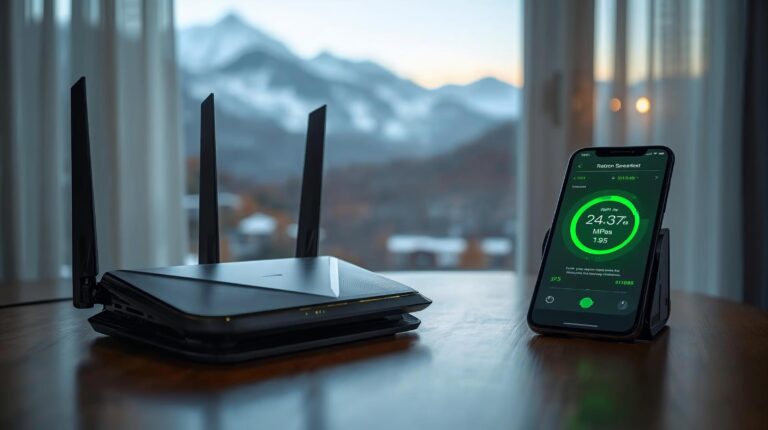
Bulgaria has historically been at the top of the world rankings for broadband speeds. Fiber-to-the-Home infrastructure is well-developed, but to get the most out of it, you need to understand what you're buying. In this guide, we'll demystify everything about connection speeds, why your router is more important than the provider itself, and how to avoid falling into the trap of slow Wi-Fi when working remotely.
Decoding the technical terms: What does speed actually measure?
When you’re renting an apartment or choosing a plan for your home, you’ll come across a few key terms: Download, Upload, and Ping, all measured in megabits per second (Mbps). Many users only look at the big numbers in the ad, but for effective remote work, the devil is in the details.
Download vs. Upload: Where's the catch?
- Download (Download speed): This is the capacity with which the data comes to You use it to load websites, watch movies on Netflix in high quality, or download large work files.
- Upload (Upload speed): This is the speed at which you send data. to the global network. This is where the biggest stumbling block for remote workers lies.
Providers often advertise only the Download speed (e.g. “Fiber optic internet up to 300 Mbps”). Always explicitly check the Upload speed as well! To have comfortable video calls in Zoom or Teams, without “freezing” or your voice breaking up, you absolutely need a minimum of 20-30 Mbps stable upload.
100 Mbps, 300 Mbps or 1 Gbps: What capacity do you need?
To avoid paying for capacity that you can't actually use, here's a quick and practical guide based on your daily needs:
1. The basic minimum: 100 Mbps
This capacity is mostly suitable for 1 to 2 people with a normal work rhythm. It handles emails, web surfing, and standard online meetings perfectly. When is it NOT enough? If both users are simultaneously having heavy video calls, sharing screens, or downloading large files at the same time.
2. The golden mean: 300 Mbps to 500 Mbps
This is the most recommended choice for digital nomads and couples who work intensively online from Bansko. This capacity ensures flawless multitasking. One person can stream in 4K resolution while the other presents to 50 people online with absolutely no lag.
3. The Beast: 1 Gbps (1000 Mbps)
The gigabit capacity is designed for IT professionals, video content creators (video editors), coworking spaces, and hotels. It provides instant uploads and downloads of terabytes of information. But here comes the most important point: This speed is completely useless if you don't have the right router!
The Router: Why is it more important than the provider? (The Myth of 5G and 6G)
The most common mistake people in Bansko (and everywhere) make is paying for a fast fiber optic plan (e.g. 500 Mbps) but using an old router that is 7-8 years old. As a result, their laptop only gets 40 Mbps over Wi-Fi. Here is the time to clear up a major technological confusion related to the terms 5G and 6G.
The difference between 5G mobile network and 5GHz Wi-Fi (Wi-Fi 5)
People often ask: “Do I need a 5G router?”. We need to distinguish two things:
- Mobile 5G network: This is the cellular network of the telecoms (Yettel, Vivacom, A1) that you connect to with your smartphone. It is an excellent alternative and backup option for the internet, but it is not your home Wi-Fi.
- Wi-Fi 5 (5GHz frequency): When it comes to home routers, “Dual-Band” routers broadcast on two frequencies: 2.4GHz (slower signal, but passes through walls easily) and 5GHz (very fast signal, but works best in the same room). To get speeds over 100 Mbps wirelessly, your laptop mandatory must be connected to your router's 5GHz network.
What is Wi-Fi 6 (6G in routers)?
The latest standard in home routers is Wi-Fi 6 (and now Wi-Fi 6E, which uses the 6GHz band). If you’re renting an apartment and want to work professionally, ask your landlord if the router supports Wi-Fi 6. These routers can handle a huge number of connected devices at the same time (phones, laptops, smart TVs) without the connection “stuck”. If you’re paying for 1 Gbps internet speed in Bansko, purchasing a Wi-Fi 6 router is an absolutely mandatory step to unlock that speed wirelessly.
Suppliers in Bansko: Who to choose? (In brief)
When it comes to providing these high speeds, the city is well-covered. No matter where you are – near the Gondola or in the Old Town, you have access to quality connectivity. The main choice comes down to a few key players:
- The national optical networks (A1 and Vivacom): They offer traditionally strong fiber-to-the-home (FTTH) connections with speeds up to 1 Gbps. They typically require two-year contracts, making them more suitable for long-term residents or property owners.
- The local leader (G-Net): Extremely popular among digital nomads due to the lack of long-term commitment and fast technical support. They offer excellent symmetrical speeds (where the Upload speed is equal to the Download speed).
- The super fast 5G alternative (Yettel and other telecoms): Here is the time to mention Yettel, who in recent years have built impressive 5G coverage in the Bansko region. If you don’t want to run cables, Yettel (as well as A1/Vivacom) offer “5G home internet” (Fixed Wireless Access). You get a router with a SIM card that you simply plug into the outlet. Speeds over the 5G mobile network often exceed 300-500 Mbps, making them a perfect primary or backup option for work.
Invaluable tips for landlords and hotel owners
If you are renting out an apartment on Airbnb, investing in high-speed internet and quality hardware is the fastest way to secure guests outside of the ski season.
The Truth Test (Speedtest)
More and more remote workers won't book your property before asking for a screenshot of a Speedtest. Run the test on your phone, standing at your desk in your accommodation, and upload the screenshot to your listing. Speeds above 150-200 Mbps are a huge plus.
Mesh systems for large properties
For hotels and guesthouses, a home router at the reception is unacceptable. Be sure to build a professional Mesh network (a system of multiple connected devices that cover every corner). This ensures that the guest will not change passwords while moving from the room to the lobby bar, and the connection will remain stable even with 30 laptops connected simultaneously.
In summary: Bansko offers world-class technological infrastructure. Whether you opt for fiber optics from A1, Vivacom or G-Net, or a super-fast 5G router from Yettel, the key to the perfect connection lies in choosing the right speed and the mandatory investment in modern Wi-Fi 6 hardware.





 English (UK)