




The Submit Listing process is designed to be as comprehensive as possible, providing customers with all the information they need in one place. Since the form contains many important fields, we have created this detailed, field-by-field guide. We will guide you through the entire screen to ensure that your profile looks professional and ranks high in our internal search engine.
At the top of the page you will see a message: “"Returning User? Please sign in..."”. If you already have a Vbansko account, click there to log in. If you are a new user, simply continue filling out the form – the system will automatically create an account for you at the end.
1. Basic Details
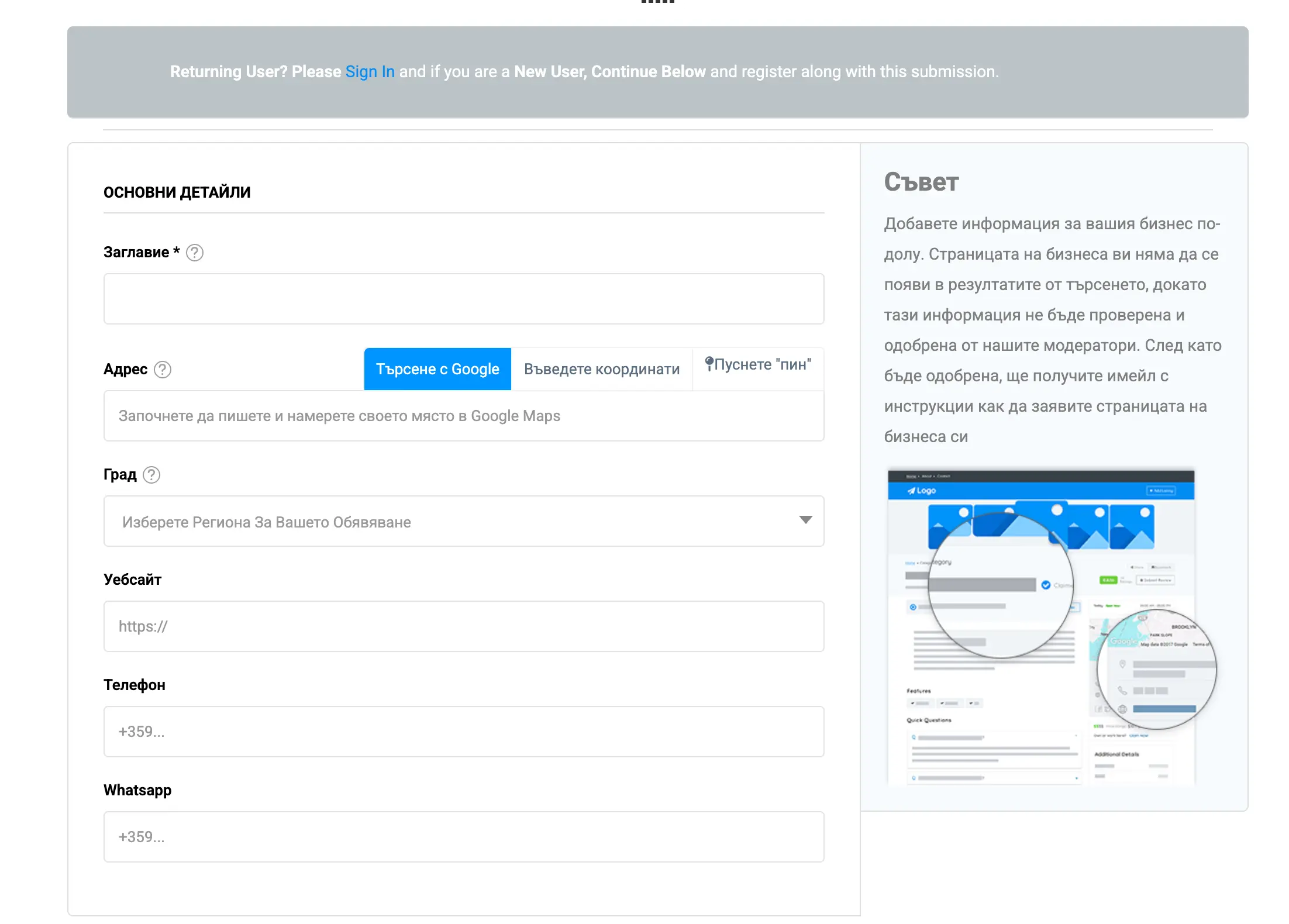
This is the calling card of your business. This is where you enter the information that will help people recognize and find you.
- Title: Write the exact and official name of your business. Avoid unnecessary abbreviations or overly long advertising slogans here. (e.g. Tavern "Old Bansko"“ or Pirin Ski School).
- Address and Google Search: Enter the street and number. Very important: use the blue “Find on map” button. This will automatically retrieve your coordinates (Latitude / Longitude) and place a marker on the map. Check that the marker is in the correct location.
- City: Select from the drop-down menu (e.g. Bansko, Razlog, Banya, Dobrinishte).
- Website, Phone and WhatsApp: Fill them out carefully. Foreign tourists use them very often. WhatsApp, to avoid roaming charges on phone calls, so don't miss this field!
The specificity of the narrow streets in the Old Town or the areas around Gondola makes the exact location absolutely mandatory. Tourists use their mobile phones to click on the navigation button on our site and get directly to you. If the map marker is wrong, you risk losing reservations!
2. Categories and Services & 3. Service Prices
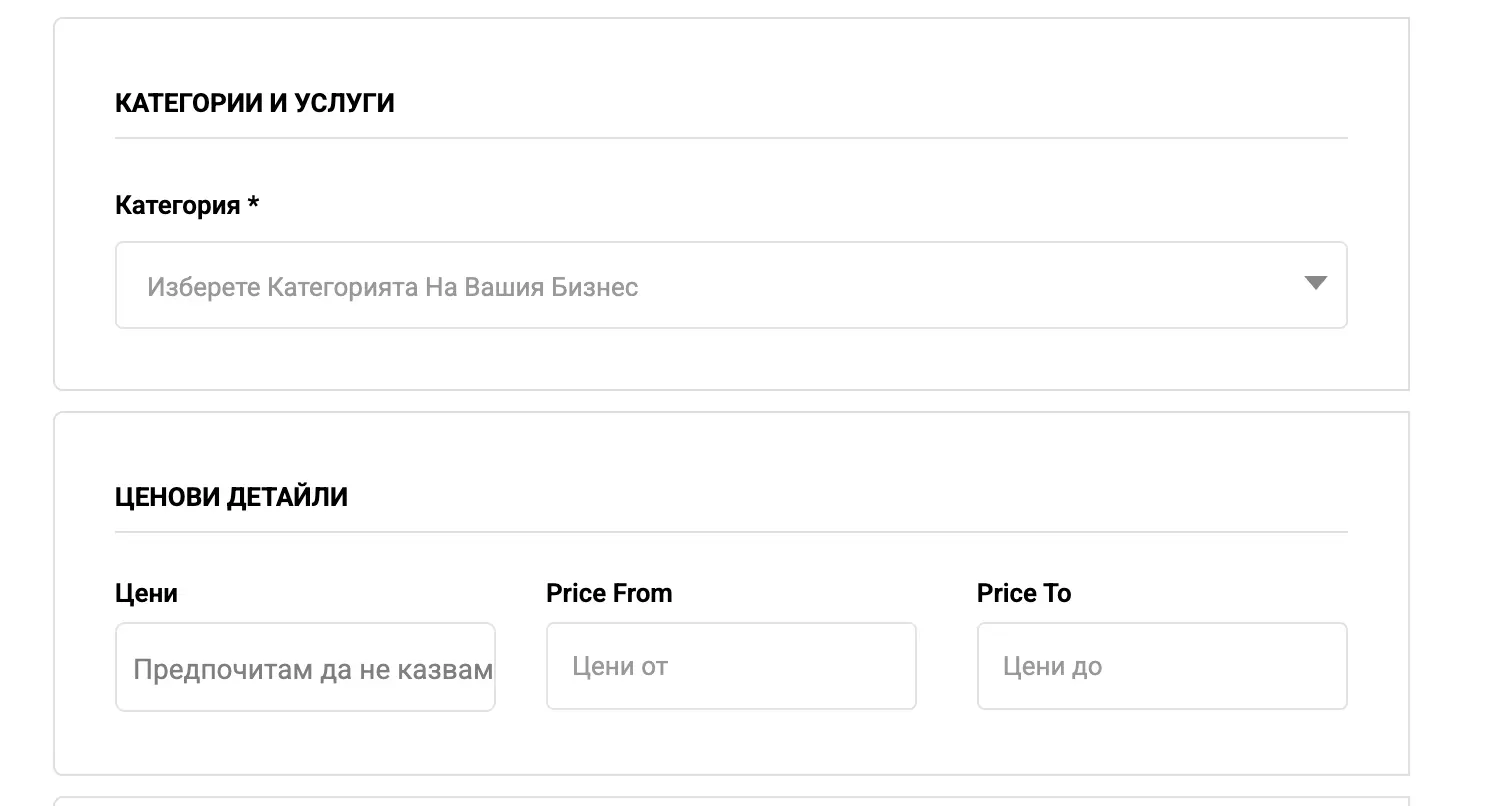
In the field Category You should select the most accurate industry for your business from the drop-down menu. Whether you are a luxury spa hotel, real estate agency, craft workshop, or car rental company, choosing the right category ensures that you will appear in the correct filter by users.
The section Price details is extremely useful for users who are planning their budget. You can set:
- Price (Status): Indicates your price class (e.g. Budget, Mid-Range, Luxury).
- Price From / Price To: If you offer specific services (e.g. overnight stays, massages, ski equipment), enter the starting and ending prices. This instills transparency and trust in the customer.
4. Working hours and 5. Social networks
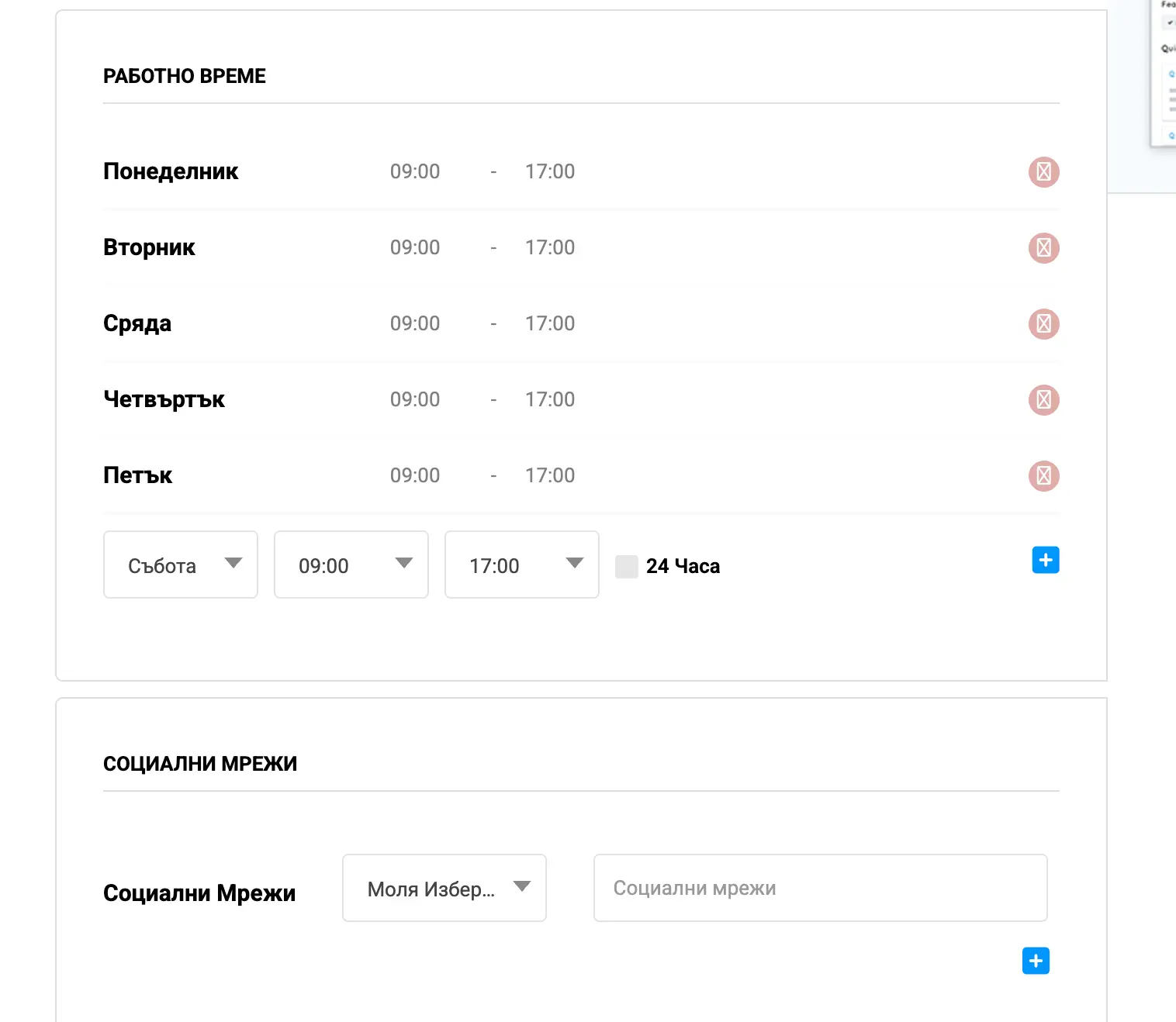
There is nothing more frustrating for a tourist than arriving at a closed door after the internet said you were open. Use this section carefully:
For each day of the week (Monday to Sunday), select a start and end time from the drop-down menus. If your business operates 24/7 (such as a large hotel reception or a 24-hour store), simply check the box. “24 hours” to the corresponding day. You can easily remove your days off using the red minus button.
Social proof is key. From the drop-down menu, select a platform (Facebook, Instagram, TikTok, LinkedIn) and paste the full URL link to your profile. Use the blue “+” button to add additional networks. Customers love to view current stories and reviews on your social channels before visiting you.
6. Frequently Asked Questions (FAQ)
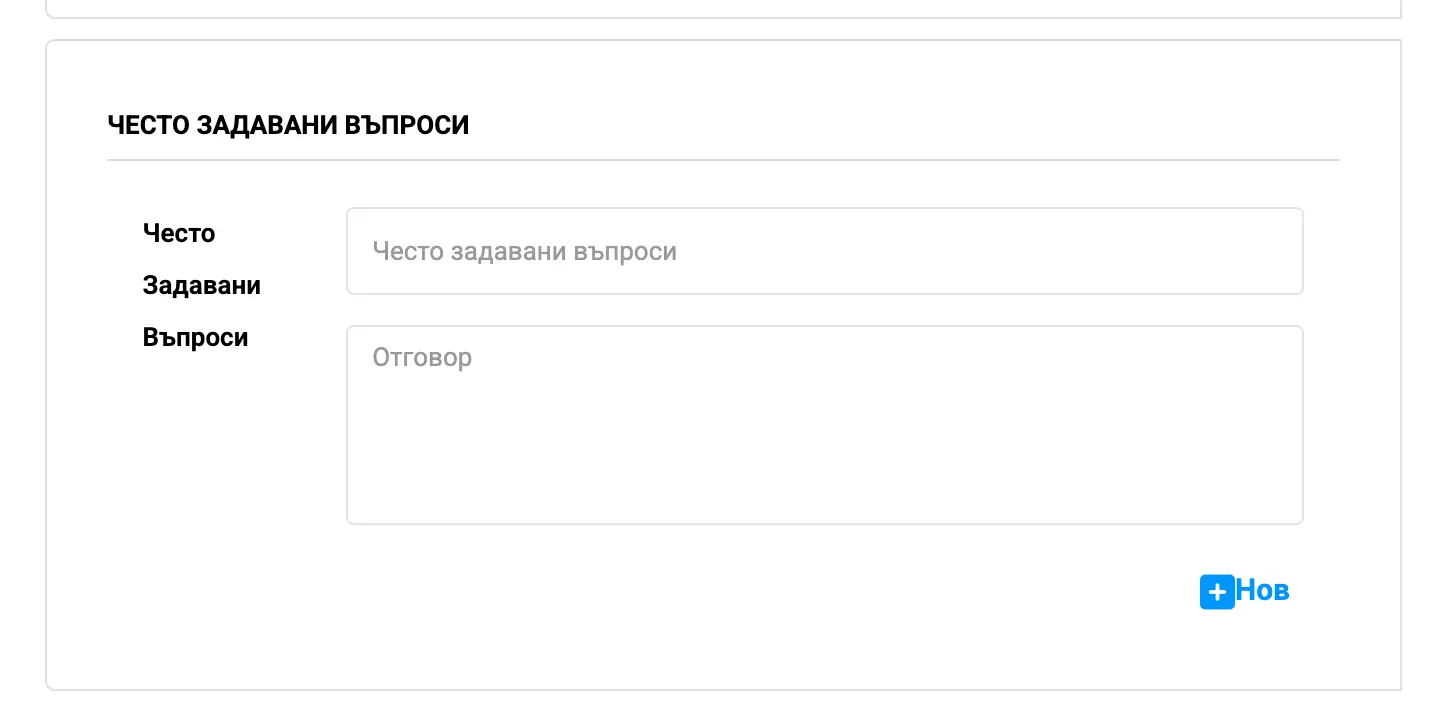
This section is your secret weapon for saving time on phone calls! Add the most frequently asked questions from your customers.
- Question: Do you have your own parking?
Answer: Yes, we offer free underground parking for our guests. - Question: Are pets allowed (Pet Friendly)?
Answer: Yes, we accept dogs up to 10 kg for a minimal fee. - Question: Do you offer a vegetarian menu?
Answer: Of course, we have a specially designated section with vegan and vegetarian dishes.
7. More information and 8. Multimedia (Photos and Videos)
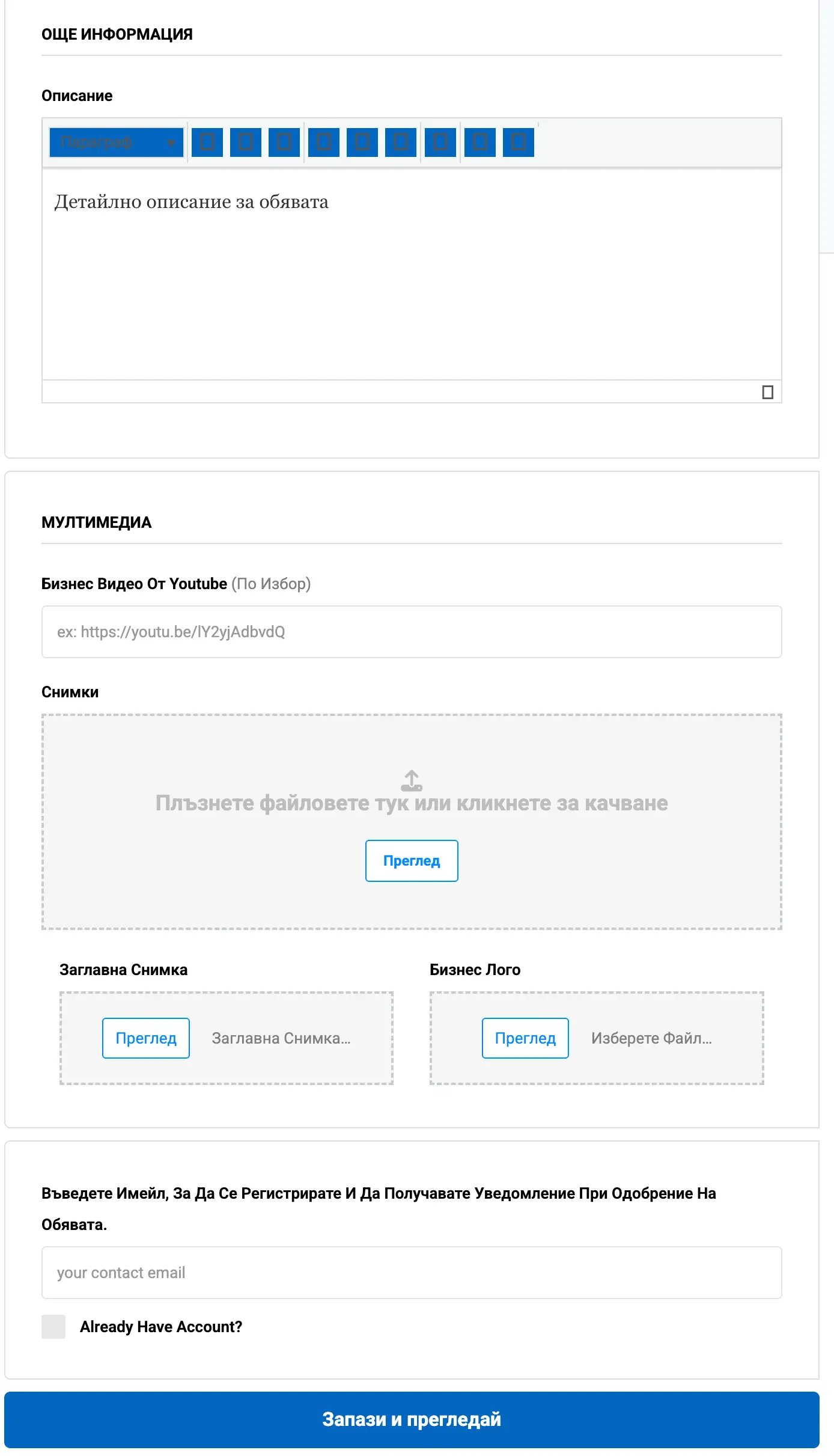
In the field Description you have a full text editor at your disposal. Don't mince words here! Tell the story of your business. Explain what makes you unique.
Use natural keywords in the text (e.g. “5 minutes from the gondola lift”, “authentic Bansko cuisine”, “modern snowboarding equipment”The more detailed and engaging the description, the better your profile will rank in Google (SEO optimization).
People buy with their eyes. Even if you have the best description, poor photos will turn customers away. In this section you can upload:
- Video: If you have a promotional video on YouTube or Vimeo, simply paste the link here.
- Photos (Gallery): Click the dotted box “Put files here…” to upload photos of your interior, products, or team. Upload clear, well-lit shots.
- Main Image (Featured Image): This is the most important photo! It will be displayed as the “face” of your business in the general Vbansko catalog. Choose the most beautiful and representative shot.
- Company Logo: Upload your logo to build brand recognition.
9. Finalization and contact email
At the bottom you will see a field “Email That Will Be Used To Receive Messages From Visitors To Your Site”. Be sure to enter a current email address that you have daily access to. When a user sends you a request through the form in Vbansko, the message will arrive directly at this address.
If you have not created an account yet, the system will use this email to register you (leave the “Already Have Account?” box blank if you are new).
10. Choose a plan (Free or Premium)
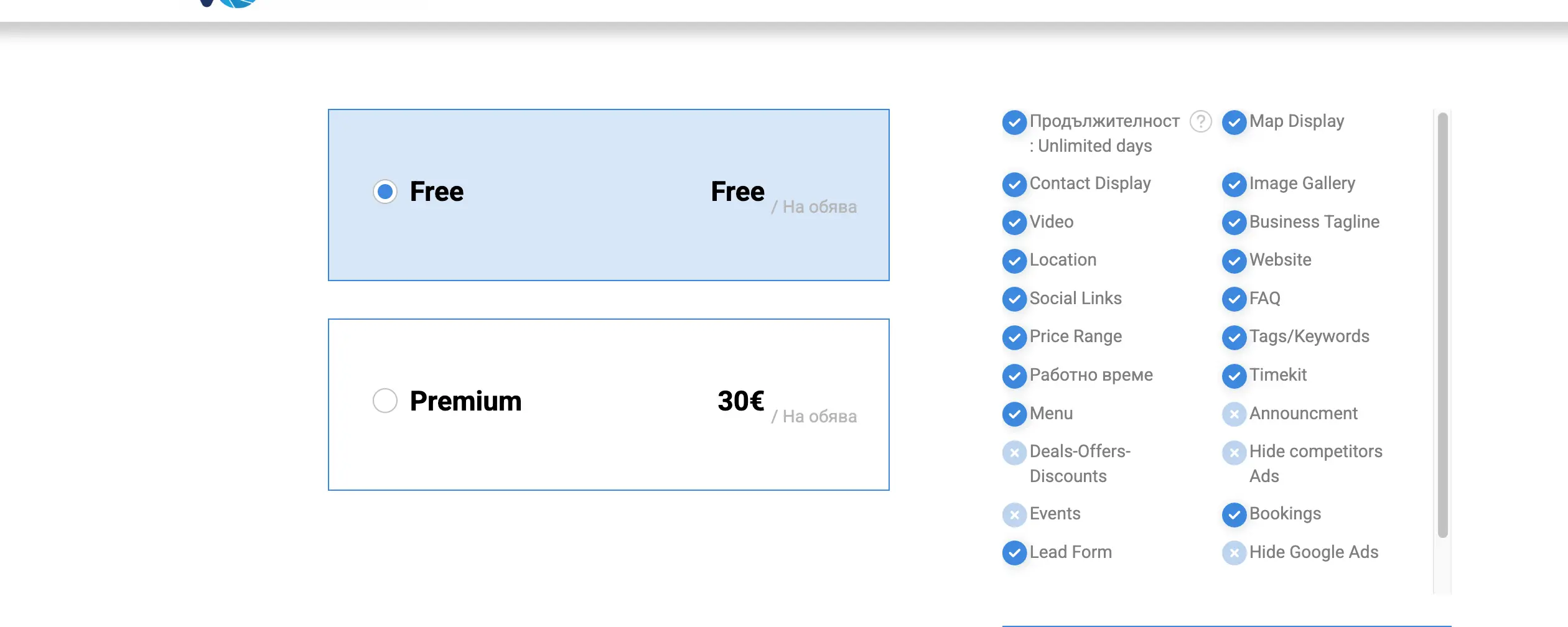
Before finalizing, you will have the opportunity to choose which package you want your business to be published with - basic (Free) or Premium, which offers many additional functionalities and advantages for better ranking.
Are you ready? Submit your request!
Once you've reviewed everything and made sure there are no empty fields, press the big blue button “Save and review”. Our team will process the information, and very soon your business will shine in front of thousands of potential customers in Vbansko!