



What exactly is the Kmete Vij Bansko system?
Simply put, this is a direct connection between you and the municipality employees. The platform Mayor see Bansko is directly connected to the official registry. Therefore, when you send a signal via your phone, it is not lost. On the contrary, it automatically receives an official incoming number, just as if you had submitted a paper application on site. On the other hand, this obliges the institution to check the problem and take action.
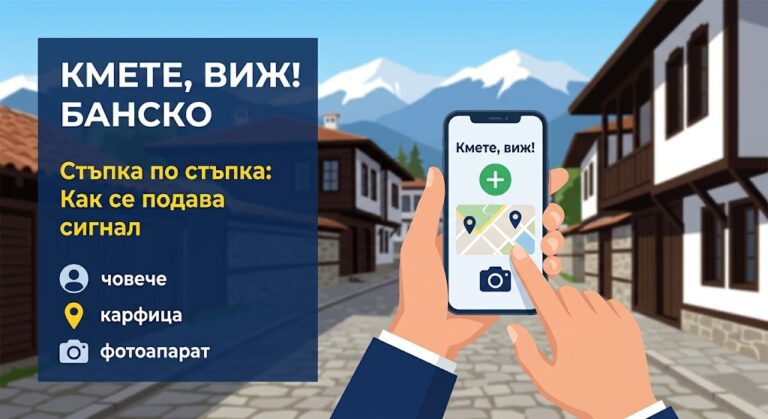
Detailed instructions: How to work with the application step by step
To be as helpful as possible, we will break down the entire process into very easy steps. It is important to know that the menus are made in pure Bulgarian and are very logical. Here is exactly what you need to do, button by button.
Step 1: Download or login to the platform
The first thing you need to do is open the system. You have two options:
- By phone (Mobile application): Open the app store on your phone (Google Play for Android or App Store for iPhone). In the search engine, type "Mayor, look!". Press the "Install" button.
- Via computer (Website): Open the municipality's website and in the main menu, look for the section [LINK: Administration -> Mayor, see].
Step 2: „Registration“ Menu (Create an Account)
After you open the app Mayor see Bansko, you must first register. This is only done the first time so that the municipality knows who is reporting. Press the button „"Registration"“ on the screen. A window will open with several empty fields:
- Name and Surname: Write your real names.
- Phone number: Enter your current mobile phone number (so they can call you if they can't find the address of the problem).
- Email address (E-mail): Write your email.
- Password: Come up with a password that you will remember easily, and type it twice to confirm it.
After filling in the fields, press the big "Register me" button.
Step 3: The "New Alert" button and "Category" menu„
You're in! To report a problem, look for the plus button (+) or inscription „"New alert"“. Once you click it, the system will ask you what the problem is. A drop-down menu will open called „"Categories"“. From it you need to choose the most accurate description. For example: „"Infrastructure"“ (if it is a hole), „"Lighting"“ (if the lamp is not lit) or „"Cleanliness/Ecology"“ (if there is an overflowing container).
Step 4: Location (Where is the problem located?)
In addition to the category, the municipality needs to know exactly where to send a team. In the application you will see a section „"Location"“ or „"Map"“. If you are on the street next to the pothole, simply tap the icon that looks like a target (GPS locator). The phone will find your address on its own. If you are reporting from home, you can move the red pin on the map with your finger until it is at the exact location of the problem.
Step 5: Description and Photos (The Most Important Part)
The next field is called „"Description"“. Here, simply write 2-3 sentences in your own words. For example: „"Hello, on Pirin Street in front of number 15 there is a deep hole in the right lane."‘
When you are done with the photos and description, just press the finish button „"Send"“ (or the paper airplane icon).
"My Alerts" menu: How to check what's happening?
One of the best things about Mayor see Bansko is that you can monitor whether someone is working on your problem. There is a section in the main menu of the application „"My Alerts"“. When you go there, you'll see a list of everything you've submitted. Next to each signal is a colored status. If it's yellow ("Accepted" or "In progress"), it means that the staff is already aware of it and is organizing the repair. When it turns green ("Resolved"), it means that the problem has been officially fixed.
Why is it important not to be passive?
Of course, municipal officials cannot visit every street in Банско every day. Therefore, we – the local people – are the real eyes of the city. When we take just two minutes to fill out these simple menus, we actually speed up repairs. Ultimately, every report sent makes our city a safer and more beautiful place to live.
FAQs
What should I do if I forget my login password?
In the login menu (below the email and password fields) there is always a button or inscription "Forgot your password?" Once you click it and enter your email, the system will send you a link through which you can create a new password easily and quickly.
Can I report a crime if I don't have internet on my phone outside?
If you don't have mobile internet outside, just take pictures of the problem with your phone's camera and remember the exact address. Later, when you get home on Wi-Fi, open the app and attach the photos from your gallery.
Do I have to write a long explanation?
No, it's not necessary at all. If you've taken a clear photo and indicated the exact location on the map, a short sentence (e.g. "Broken park bench") is enough for the staff.
How much does it cost to download the app?
The application is completely free. It was created for the convenience of citizens and does not require any fees for downloading, installation or subsequent sending of signals to the administration.